Articles in this section
TimeTrakGO Updates from 2024 TimeTrakGO Updates from 2023 TimeTrakGO Updates from 2022 TimeTrakGO Updates from 2021 TimeTrakGO Updates from 2020

TimeTrakGO Updates from 2025

B
Brian Zurawski
4 Dec, 2025 - Updated 8 days ago

🚀 TimeTrakGO Product Updates from 2025

A summary of new features, enhancements, and fixes deployed throughout 2025, driven by your feedback and designed for a simpler, more efficient time management experience.


TimeTrakGO Update Announcement

December 2025 | v2.0.588

We are thrilled to announce the launch of the TimeTrakGO December 2025 Update, a significant release built directly from your valuable feedback and designed to make your daily time and user management simpler, more efficient, and far more flexible.

📊 Reporting & Mobile Access

  • Custom Date Range Picker: A new function has been added to the date picker in reporting areas, allowing you to easily input and analyze data for a specific, custom date range.
  • Mobile Dashboard Access: The TimeTrakGO Dashboard is now included in the mobile menu options for smaller screen sizes, making key data readily available on mobile phones.
Mobile TimeTrakGO Dashboard View

👥 User Management & Onboarding

  • Improved New User Process: The function for adding a new user now uses a simple popup window instead of the full edit user screen, streamlining the onboarding process.
  • Geofence Exclusion Option: A new checkbox, Enforce Geofence Rules, is now available on the Edit User screen. This allows you to bypass geofence validation for specific users, providing necessary flexibility.
  • Clearer Clock Settings: The checkbox on the Edit User screen has been renamed from Allow GO Clock to Allow Browser Based GO Clock (Individual) for greater clarity on its function.

🌴 Time Off & Accruals

PTO Maximum Taken Per Year (Supports Sick Leave Compliance)

⏰ Clocking & Technology

  • New Individual GO Clock Settings: The Browser-Based GO Clock now has a new Feature Manager tile and an associated entry screen to manage individual GO Clock settings.
  • Kiosk App QR Codes: The Tablet App Time Clock now displays QR codes that link directly to the TimeTrakGO Kiosk app on both the Google and Apple stores.
  • Bug Fixes: Resolved an issue with the time zone for the Physical Clock (GOtime5) and fixed an issue with entering or resetting the PIN.
  • Interface Cleanup: The Time Card, Schedule, Hybrid toggle is now automatically hidden when scheduling is disabled.

TimeTrakGO Update Announcement

October 2025 | v2.0.577
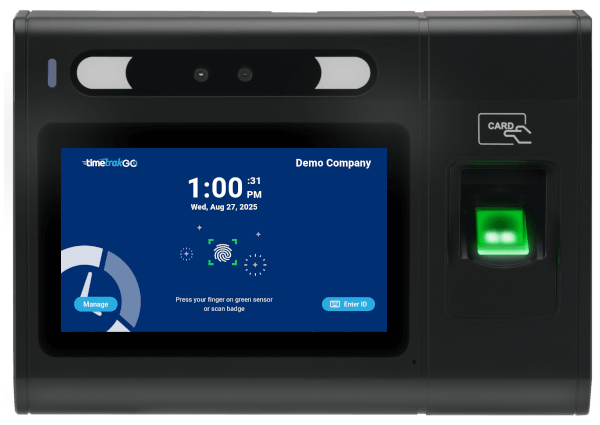
GOtime5 Physical Time Clock Device Details

We’ve worked hard to ensure the new GOtime5 device integrates seamlessly with your existing TimeTrakGO setup. Purpose-built to complement our mobile and tablet applications, GOtime5 brings added flexibility without complicating your workflow.

Featuring a vibrant 5-inch touchscreen, the GOtime5 delivers a consistent and intuitive experience across all clocking methods—whether employees are using the physical device, the Time Clock Kiosk on a tablet, or the TimeTrakGO mobile app. This consistent interface means less time spent on training and a more reliable, user-friendly experience for everyone.

GOtime5 supports multiple clocking methods:

  • Fingerprint (Biometric)
  • RFID Card or Badge
  • PIN Entry
Employee time clock device with fingerprint
🛍️ TimeTrakGO Store Launch

To make purchasing your new GOtime5 device and accessories as quick and simple as possible, we’re also launching the new TimeTrakGO Online Store!

This new store is accessible right from within your TimeTrakGO account and completely automates the ordering process. Whether you are ordering a new GOtime5 clock or stocking up on RFID time cards, the store makes it fast and easy to get exactly what you need.

TimeTrakGO Online Store
➕ Additional Improvements
  • Audit Logs: Fixed a display issue with the affected date.
  • Kiosk App: Fixed an issue that prevented supervisors from accessing the manage option.
  • Users: Added a new Clock Option setting to manage the physical time clock, including fields for User ID or Badge ID and identification method overrides.
  • User Location Map Report: We've corrected an issue that caused an overlap with the map controls.
  • Feature Manager: Added a new feature to control the new physical time clock device.

TimeTrakGO Update Announcement

January 2025 | v2.0.561

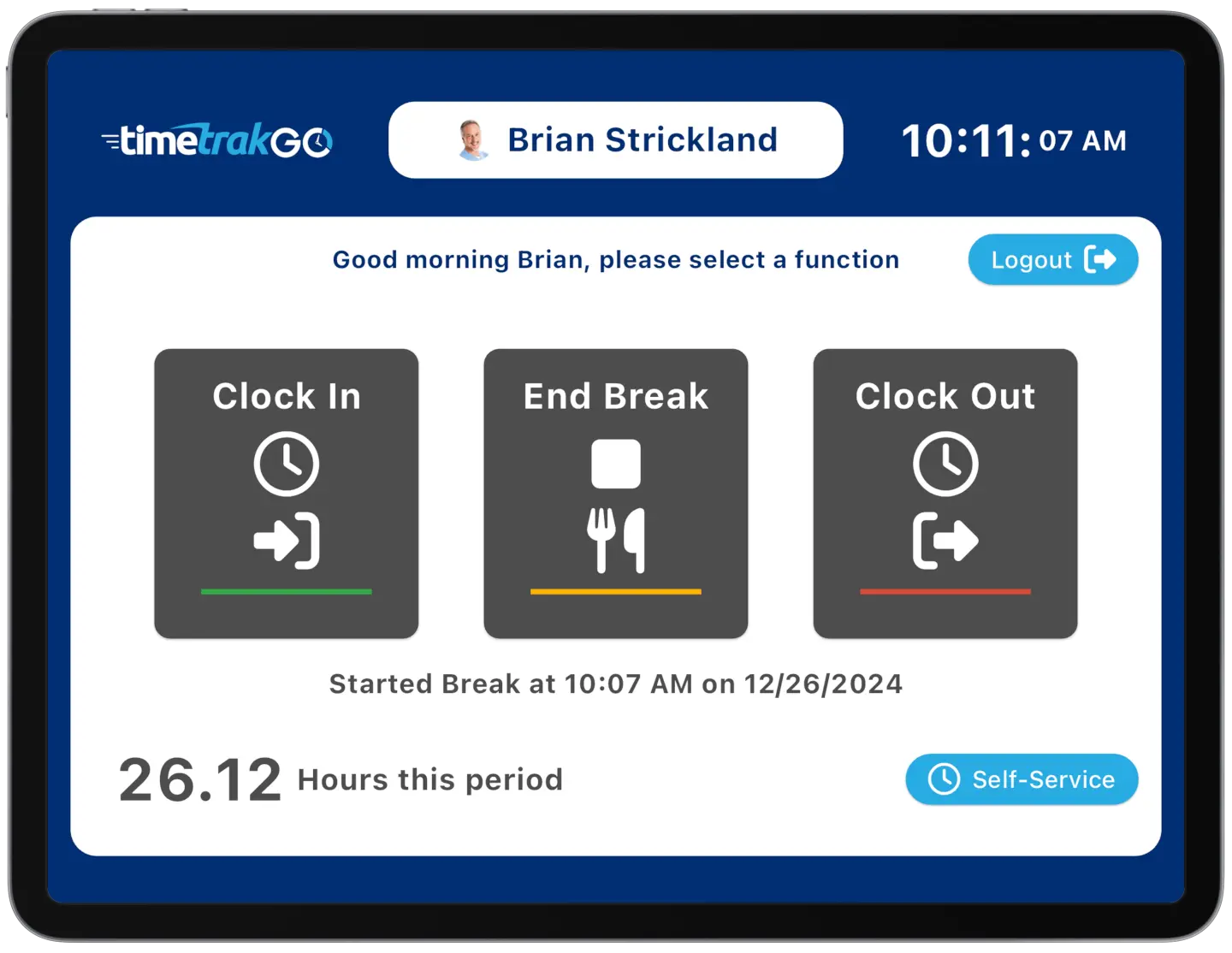
The January 2025 update for TimeTrakGO brings several enhancements, including a new portrait mode for the Kiosk Time Clock App, making it even easier for employees to clock in and out on tablets or mobile devices in any orientation.

This release also includes a number of minor bug fixes for improved stability and performance.

📱 Time Clock Kiosk App - Portrait Mode

We've completed extensive work to redesign all areas of the app, ensuring seamless compatibility across a wide range of devices and screen orientations. This includes the addition of portrait mode for the Time Clock Kiosk, providing greater flexibility for deployment on various devices and in different work environments.

These improvements enhance the user experience and ensure a consistent and reliable time tracking experience for all employees, regardless of the device they use.

Time Clock Kiosk portrait mode example
➕ Additional Improvements
  • Reports: Fixed a sorting issue when the last name contained a space.
  • Kiosk App: Fixed an issue that prevented the user status from updating.
  • Dashboard Errors Insight: We've corrected an issue with the insert punch menu.
  • Time Off Center: Corrected an issue that prevented manual time card entries appearing beyond the current month.
  • Corrected an issue with Semi-Monthly pay period dates.
Powered by Vtiger